Calendar
Coordinate meetings, test drives, and follow-up tasks on one shared dealership schedule.
Calendar gives your dealership one shared place to organize the work around every customer and vehicle. Schedule an appointment, assign the right team members, and connect the event to the records your team will need when the time arrives.
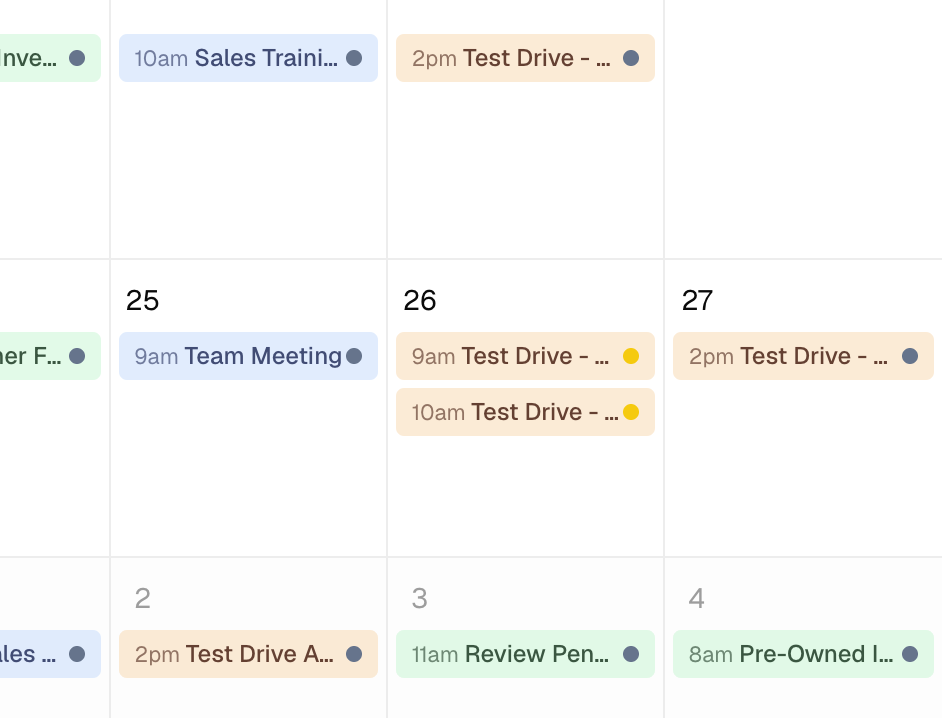
Keep the whole dealership aligned
Each event keeps its purpose, progress, assigned team members, related contacts, and related vehicles together with the date and time.
Coordinate customer time
Keep meetings and test drives visible on the same schedule the team uses for internal work.
Make ownership clear
Assign one or more team members. Changes saved in Calendar notify people when they are newly added.
Bring the right records together
Link contacts and vehicles so the event identifies who is involved and what inventory matters.
See the schedule your way
Move between Month, Week, Day, and Agenda views, then filter the shared calendar for the work you need.
One shared dealership calendar
Events appear on one dealership calendar instead of separate personal calendars. Assignments and filters help each team member focus on the work that matters to them.
Everyone can see the shared Calendar
Calendar is shared across the dealership. Team members can see events and linked contact or vehicle names from every location, even when they are assigned to only one location.
Calendar includes three event types:
| Type | Good fit |
|---|---|
| Meeting | Customer appointments, deliveries, appraisals, or team discussions |
| Test Drive | A scheduled drive connected to a contact and one or more vehicles |
| Task | Follow-up work, paperwork, or an internal deadline |
Use status to show progress:
| Status | Meaning |
|---|---|
| To Do | Work has not started |
| Pending | Work or an appointment is active |
| Complete | The event is finished |
Status shows progress only. It does not send a reminder, complete another record, or repeat an event automatically.
Choose a calendar view
- Month shows the broad schedule and supports date-level planning.
- Week shows timed events across seven days.
- Day gives the most focused timed view.
- Agenda lists upcoming events in chronological order.
Use Today, the previous and next controls, and the view tabs to move through time. Calendar remembers the selected view in the page URL.
Filter the schedule
Filter events by:
- Type
- Status
- Members
- Contacts
- Vehicles
Filters change only what you see. Clear them to return to the full dealership schedule.
Storefront test drives enter Calendar
When a shopper submits a valid storefront test-drive request, DealerSpot creates a one-hour Pending Test Drive event. It links the branch contact and any selected vehicles that are still Listed for that branch.
The request does not appear in the contact's Activity list. Manage the appointment in Calendar and add a contact note when your team needs a visible record of the request.