DealerSpot Chrome Extension
Bring outside listings into DealerSpot and move prepared inventory into Facebook Marketplace.
The DealerSpot Chrome Extension saves your team from entering the same vehicle information again and again. Use it to create Draft inventory from supported listing sites or prepare DealerSpot vehicles for Facebook Marketplace.
Two ways to save time
Import a vehicle
Open a vehicle on Copart, IAAI, Cars.com, AutoTrader, or Carfax. Review the information the extension finds, then create a Draft in DealerSpot.
Post to Facebook Marketplace
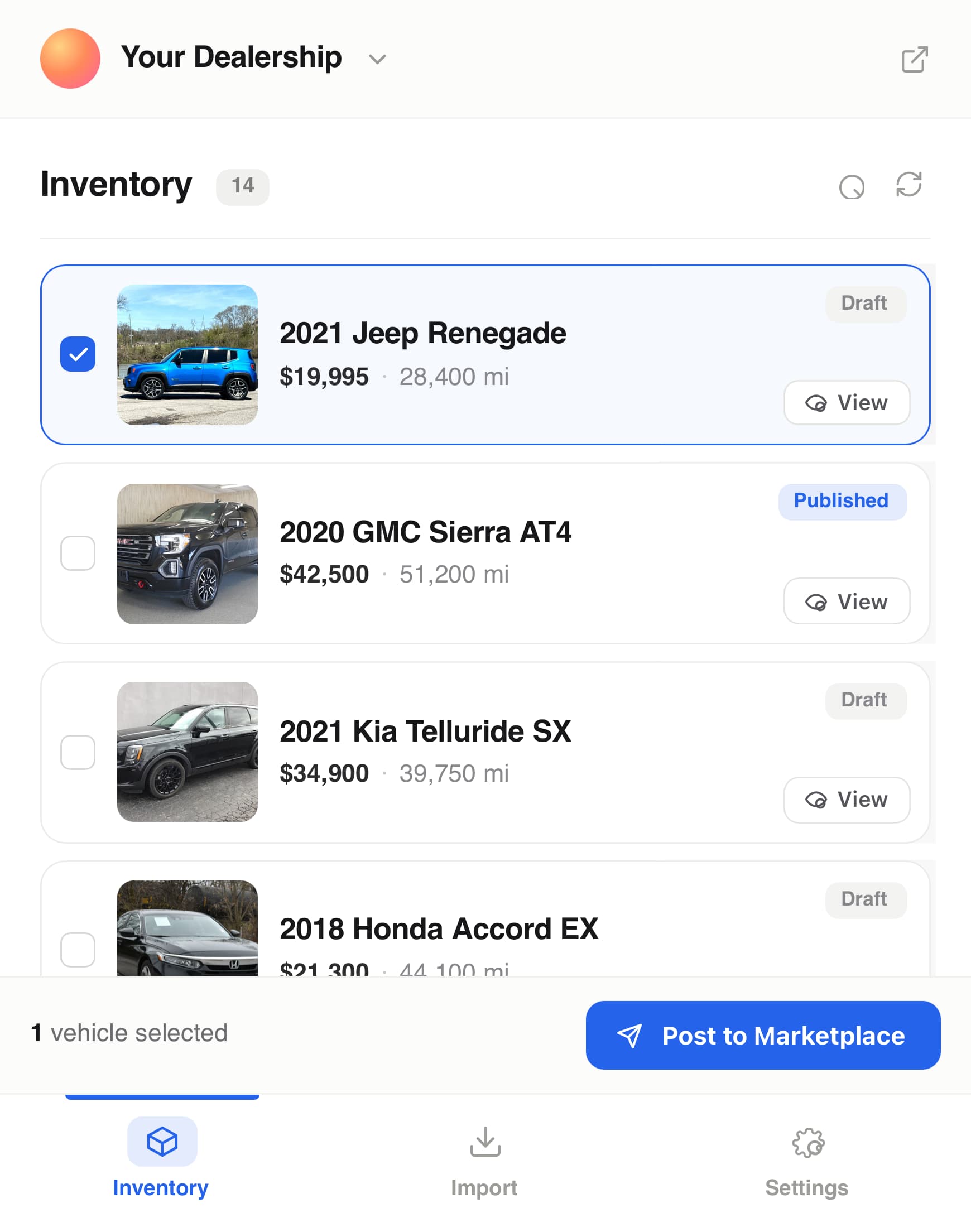
Select prepared DealerSpot vehicles and let the extension fill the supported Facebook fields one vehicle at a time.
Nothing is imported or sent to Facebook until you start and confirm the action. You choose the dealership location, review vehicle details, decide whether to copy images, and confirm each group of Marketplace listings.
What you will see in the extension
- Inventory: Choose DealerSpot vehicles for Facebook Marketplace.
- Import: Review information found on the supported listing page open in Chrome.
- Settings: Choose whether Facebook listings should start as Draft or Published.
If you work with more than one dealership, use the dealership selector at the top. When importing, you can also choose the location that should own the new vehicle.
Access
You can import vehicles after signing in to DealerSpot in the same Chrome profile. Posting to Facebook Marketplace also requires Marketplace access for your DealerSpot account and an active Facebook session in Chrome.
Open Settings > Plans and Usage to review whether Marketplace access is enabled. No Marketplace access is needed for imports.
A safe first test
- Install the extension from the Chrome Web Store.
- Sign in to DealerSpot in the same Chrome profile.
- Open the extension and confirm the correct dealership.
- Keep Facebook Marketplace mode on Draft for your first test.
- Import one supported listing without images and review the new DealerSpot Draft.
- Test image import, then try one prepared vehicle in Facebook Draft mode.
Review every imported or posted listing
Listing sites and Facebook can change their pages, fields, and rules. Confirm vehicle details, photos, and the final Facebook result before relying on it.
Your information and controls
When you start an action, the extension uses the information needed to complete it, such as your DealerSpot session, the open listing page, selected images, and selected DealerSpot vehicles.
You can stop using it by signing out of DealerSpot, disabling or removing the Chrome extension, or turning off Marketplace access in Plans and Usage.