Inventory
Turn every vehicle into a complete, market-ready record your team can price, publish, and track through the sale.
Inventory gives your team one place to manage each vehicle from intake to sale. Keep vehicle facts, asking price, buyer interest, expenses, photos, and listing details together.
Move a vehicle from intake to listing
A vehicle can start as a blank Draft or with information from a VIN lookup. Add what you know, fill in the rest during preparation, and publish only when it is ready.
Everyone works from the same vehicle:
- Sales sees the current asking price, listing status, and interested contacts.
- Inventory staff sees vehicle details, title information, photos, and supporting files.
- Managers see recorded expenses and related reports.
- Storefront visitors see only the public information attached to a Listed vehicle in that branch.
Keep the vehicle story together
Activity shows important changes. Notes keep team updates close to the vehicle. Interested contacts and transactions show where the vehicle stands in the sales process.
Use the vehicle tabs
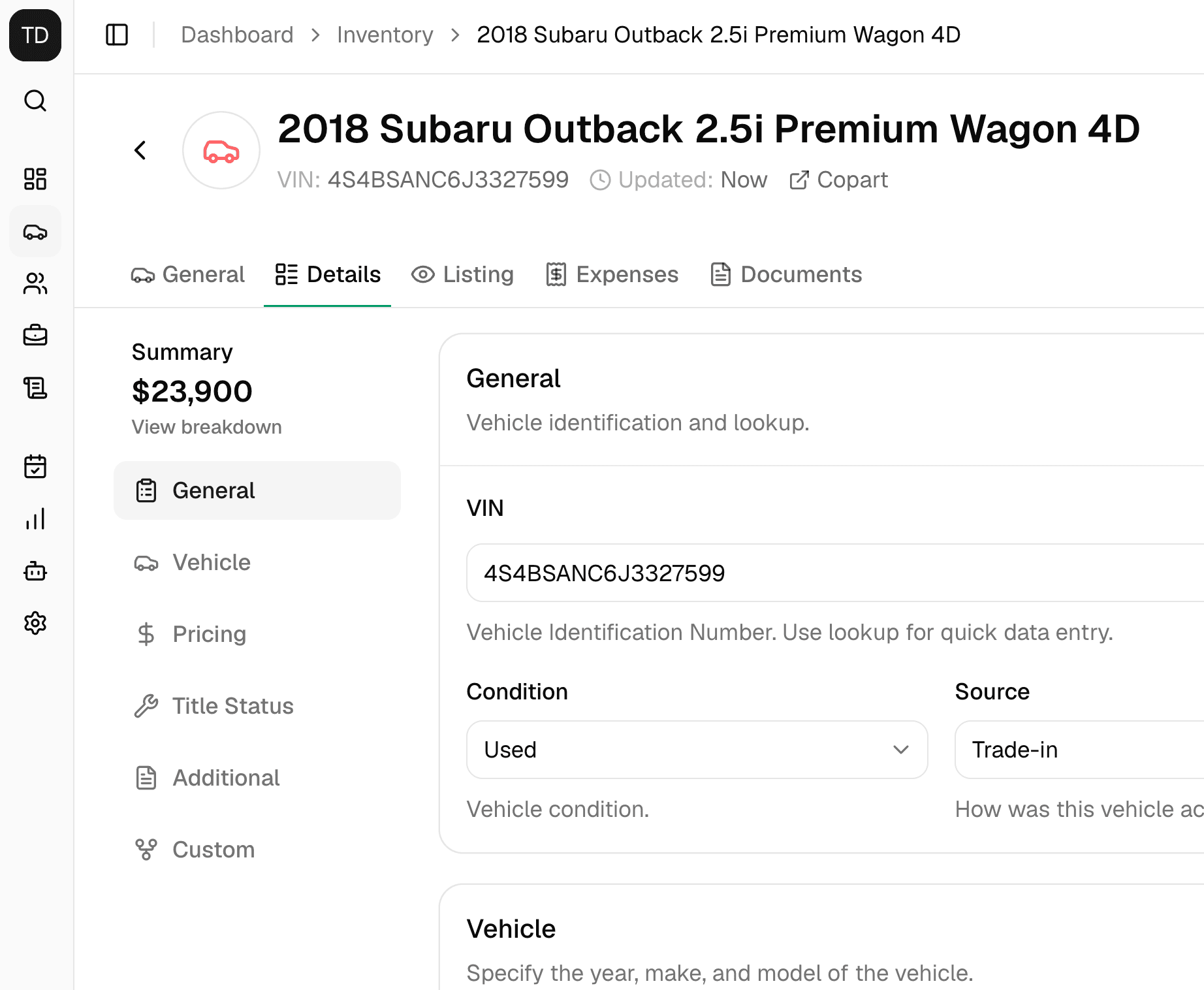
Open any vehicle from Inventory to work across five tabs:
| Tab | What you can do |
|---|---|
| General | Review activity, notes, transactions, and interested contacts |
| Details | Enter vehicle facts, prices, title, source, and custom values |
| Listing | Prepare the public title, description, website choice, and photos |
| Expenses | Record vehicle costs and paid status |
| Documents | Create a Window Sticker and attach non-sensitive files |
The vehicle header also keeps status, branch, pin, and other record actions close at hand.
Vehicle statuses
Status controls whether shoppers can see the vehicle.
| Status | Use it when | Public storefront |
|---|---|---|
| Draft | The record or vehicle is still being prepared | Hidden |
| Listed | The vehicle is ready for shoppers | Visible when assigned to the active branch |
| Sold | The vehicle is no longer available | Hidden |
Only a Listed vehicle assigned to the storefront's branch appears publicly. Changing a vehicle back to Draft hides it without deleting its record.
Check the vehicle after completing or canceling a deal
When you complete a deal, you can choose whether to mark the vehicle Sold. Canceling a linked deal changes the vehicle to Listed. Make sure the final vehicle status matches what is on your lot.
A practical inventory workflow
- Select Add Vehicle and optionally enter a 17-character VIN.
- Choose a branch when your dealership has more than one.
- Complete the vehicle, price, title, and source details you need.
- Record preparation costs in Expenses.
- Build the public presentation in Listing, including images and listing copy.
- Review the record, assign it to the correct branch, and change its status to Listed.
- Follow interest and transaction activity from General.
New vehicles start as Draft and do not appear on the storefront.
Keep sensitive files out of Documents
Uploaded files do not appear on the storefront, but anyone with a file's direct link may be able to open it. Upload only non-sensitive vehicle material.
Find and organize inventory
The inventory list supports search, filters, sorting, branches, pins, and actions for several vehicles at once. Search by vehicle title, VIN, stock number, make, or model. You can also filter by status, branch, vehicle details, source, and custom values.
Use pins for vehicles that need quick attention. Use the bulk actions carefully when moving or deleting more than one record.
Explore inventory workflows
Add a Vehicle
Start a clean draft manually, with NHTSA VIN data, or from the browser extension.
Vehicle Workspace
Use the five-tab record to manage operations and the public listing.
Vehicle Expenses
Track vehicle-level costs and understand how they feed dealership reports.
Images and Documents
Arrange listing photos, generate a Window Sticker, and manage non-sensitive uploads.
Vehicle Custom Fields
Enter dealership-specific values and control which vehicle facts become public.