Transactions
Keep every deal organized from first draft through a reviewed close, with buyers, vehicles, terms, taxes, and paperwork in one record.
Transactions keeps each deal in one place. Your team can connect the buyer and vehicle, enter the deal terms, review taxes, and prepare documents from the same record.
Start with what you know
You can create a deal before you know every detail. Add the buyer, vehicle, managers, payment terms, trade-in, and documents as the sale moves forward. Activity and notes help the next team member see what has happened.
The connected records also help fill forms and reports. Check the buyer, vehicle, branch, and deal details before you generate paperwork.
Use the transaction tabs
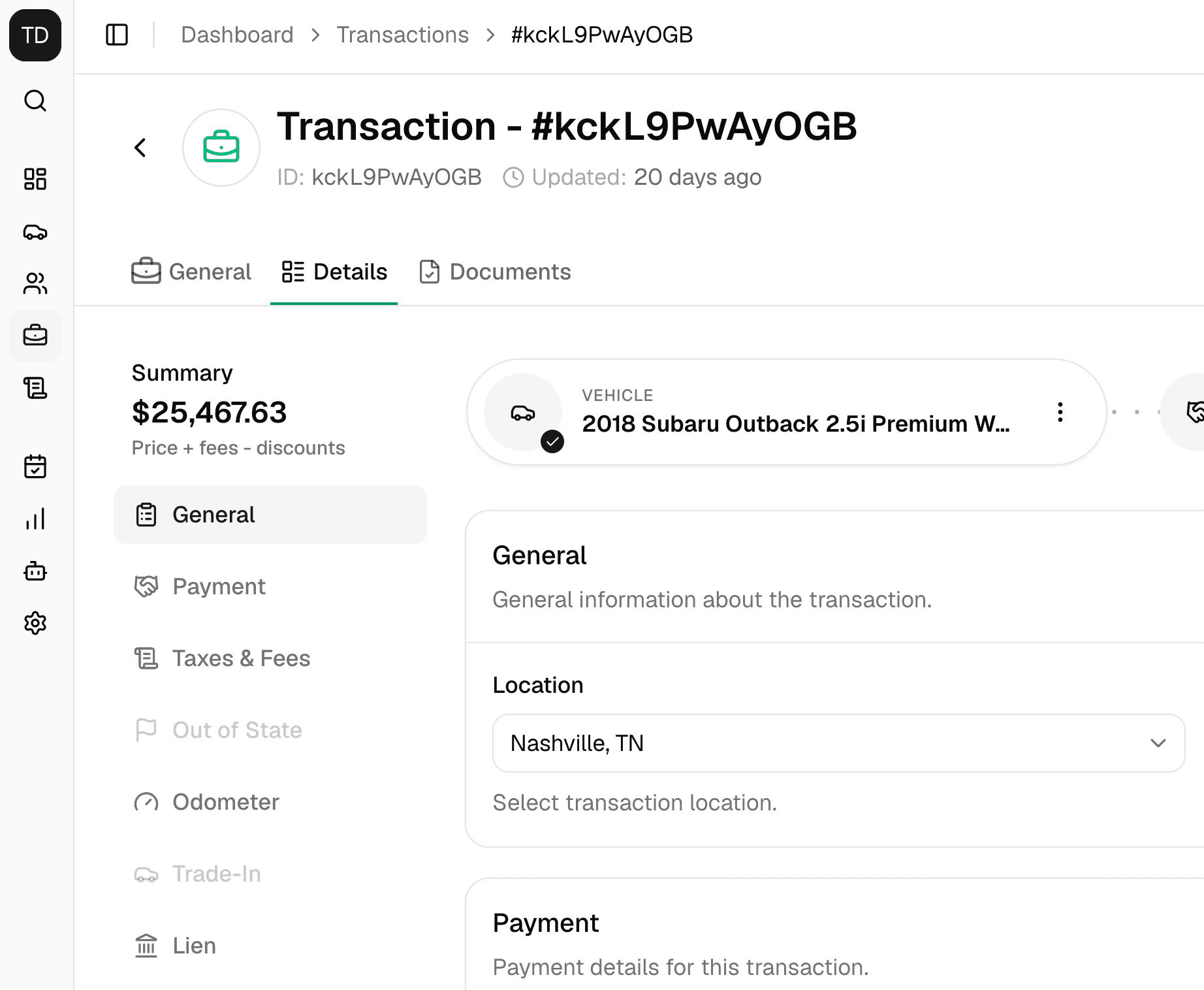
Open a transaction to work across three tabs:
| Tab | What you can do |
|---|---|
| General | Review activity, notes, buyers, managers, and the vehicle |
| Details | Enter payment, tax, trade-in, title, warranty, and other deal information |
| Documents | Create available forms and attach non-sensitive supporting files |
Choose the right status
| Status | Use it when |
|---|---|
| Pending | Your team is still building the deal |
| Complete | Your dealership has finished its review |
| Cancelled | The sale will not move forward |
Completing a deal requires at least one contact. DealerSpot refreshes the tax from the saved deal information and tries to change the attached contacts to Customer. If a vehicle is attached, you can choose whether to mark it Sold.
Complete does not finish the real-world sale for you
DealerSpot does not collect payment, approve credit, transfer a title, or confirm that every form is signed. Finish your dealership's normal review before you mark a deal Complete.
Complete a deal
- Create a Pending transaction.
- Add the buyers, vehicle, and managers.
- Enter the sale price, payment terms, taxes, and fees.
- Add trade-in, lien, warranty, title, odometer, and power of attorney details when needed.
- Save your changes and review the full deal.
- Create the needed forms.
- Attach only non-sensitive supporting files.
- Select Complete and decide whether to mark the vehicle Sold.
Reopen a completed deal before making changes
Some parts of a Complete deal may still look editable. Change the status back to Pending first, make the correction, review the tax again, and then complete the deal again.
Changing a transaction to Cancelled changes its linked vehicle to Listed. Check the vehicle after canceling so its status matches what is happening on your lot.
Find and organize deals
Search and filter the transaction list by status, date, branch, buyer, payment method, lender, and other deal details. Pin active deals when you need quick access.
Moving a transaction to another branch does not move its buyers, vehicle, or trade-in. Review all connected records after a branch move.
Explore transaction workflows
Create and Close a Transaction
Build the record, connect participants, and control completion side effects.
Payment and Financing Terms
Record cash or financing details without confusing tracking with payment processing.
Taxes and Fees
Use location-aware tax calculation, manual lines, and an exact price summary.
Trade-Ins
Link a trade-in vehicle and record allowance, payoff, and lien details.
Transaction Custom Fields
Add dealership-specific values and use them as list columns or filters.
Transaction Documents
Create forms for the selected location and manage non-sensitive uploads.