Transaction Documents
Create available deal forms, attach non-sensitive files, and prepare a reviewed print package.
Use the Documents tab to create forms for the selected location and attach non-sensitive files. Do not use it as private storage for a signed deal jacket.
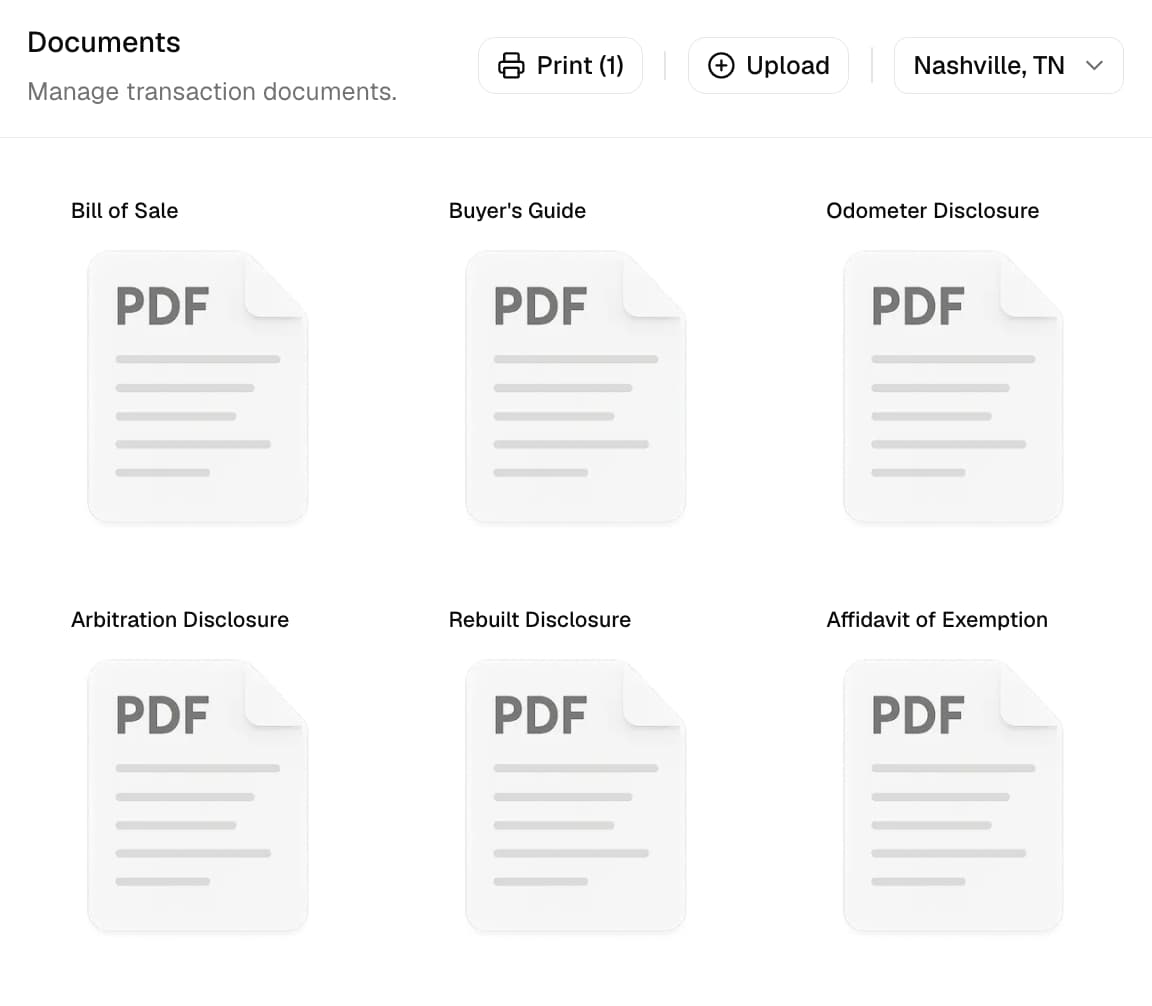
Choose the document location
At the top of Documents, choose the address used to select available forms:
| Source | Address used |
|---|---|
| Branch | Transaction branch address |
| Buyer | Primary buyer address, or the first attached contact when needed |
| Custom | Address entered specifically for documents |
Save a Custom address before creating forms. Changing the location can change which forms are available.
Available forms
DealerSpot currently includes:
| Location | Available forms |
|---|---|
| General | Bill of Sale |
| United States | Buyer's Guide and Arbitration Disclosure |
| Tennessee | Odometer Disclosure, Rebuilt Disclosure, Affidavit of Exemption, Rebuilt Vehicle Application, Power of Attorney, and Application for Noting of Lien, Duplicate Title, or Multipurpose Use |
| Canada | General Canada Bill of Sale |
| Ontario | Vehicle Sales Agreement |
The list changes with the selected country, state, and local area. A form does not appear when DealerSpot does not have a matching version for that location.
Use the Required preset carefully
The Required selection preset currently has explicit rules only for Nashville, Tennessee. It selects Bill of Sale, Buyer's Guide, Odometer Disclosure, and Arbitration Disclosure, plus Rebuilt Disclosure when the linked vehicle title status is Rebuilt or Salvage.
Check the Required selection before use
Required is a helpful starting list, not a complete legal checklist. Confirm the forms needed for the buyer, vehicle, lender, and location before you use the package.
Generate a form
- Open the transaction and select Documents.
- Confirm the document location.
- Confirm the buyer, vehicle, branch, tax, title, odometer, lien, warranty, power of attorney, and deal details.
- Select a generated document to create its PDF.
- Review the completed fields and blank areas.
- View, download, or print the reviewed result.
Forms use the information currently saved in DealerSpot. Correct the buyer, vehicle, branch, or deal first, then create the form again.
Upload transaction files
Upload only non-sensitive forms, scans, images, or supporting material. Keep signed copies, lender files, identity documents, and financial records in your dealership's approved private system.
- Select Upload.
- Choose one or more supported files.
- Wait for the upload to finish.
- Confirm the files appear under uploaded documents.
The dashboard accepts PDF, JPEG/JPG, PNG, and WebP, with a 5 MB limit per file. DOC and DOCX are not accepted.
Choose a useful filename before upload. The Documents tab does not provide a rename action.
Do not upload sensitive paperwork
Uploaded transaction files do not appear on the storefront, but anyone who gets a file's direct link may be able to open it. Do not upload signed, financial, identity, lender, or other sensitive paperwork.
View, download, and print
Each available document supports the actions appropriate to its file:
- View opens a generated or uploaded document.
- Download saves a copy.
- Print opens a printable result.
- The print switch includes or leaves out a PDF from the combined print package.
- Selection presets can choose a configured group, including the Nashville Required set.
- Combined printing works with PDFs only. Print image uploads separately.
Generated documents are produced from current data. Uploaded documents remain the file that was attached.
Remove an uploaded file
Delete removes the file from the transaction when the full list is loaded.
Load every document before changing the file list
The panel shows 12 files at a time. If there are more, load every page before you upload or delete. Otherwise, files that were not loaded can disappear from the transaction's list. Check the full list after the change.
Delete removes the file from this transaction
DealerSpot removes the file from the transaction's list, but does not confirm that every stored copy has been permanently erased.
Build a reliable package
Before generating or printing:
- Attach at least one contact and identify the primary buyer.
- Confirm the vehicle and trade-in records.
- Confirm branch, buyer, and custom addresses.
- Review odometer, title, warranty, exemption, lien, and POA fields.
- Save the final tax result and price components.
- Regenerate after any source-data correction.
- Compare the finished package with the requirements your dealership follows.
Keep final signed and sensitive records in the system your dealership approves for private files.